Project · HubSpot
Customer Success Health Dashboard
Built in HubSpot to provide visibility into account health, engagement, risk and CSM prioritisation across 103 customer accounts.
- Challenge
- Customer Success teams need a clear way to see account health, understand risk signals and prioritise proactive engagement before issues become churn.
- My Role
- I designed and built the health-scoring, segmentation, reporting and workflow logic in HubSpot.
- Approach
- I organised customer signals into score bands, health statuses, risk reasons and priorities, then connected those fields to reports, workflows and alerts.
- Tools
- HubSpot CRM · HubSpot Workflows · Slack
- What I Built
- A Customer Health Score Dashboard covering 103 customer accounts, supported by CRM views, segmentation, recovery workflows and team notifications.
- Key Insight / Outcome
- The build makes customer health actionable by showing which accounts require attention, why risk may be emerging and where proactive engagement should begin.
Signals made visible
The operational question
“Who needs attention, why do they need attention, and what should the Customer Success team do next?”
The dashboard helps a Customer Success team identify accounts requiring attention, understand potential risk signals, prioritise proactive engagement and make customer health data actionable.
Featured project
Customer Health Score Dashboard · HubSpotThese screens provide visual evidence of the dashboard, account segmentation, feature-adoption risk, recovery automation and team alerts.
Customer Health Score Dashboard · HubSpot
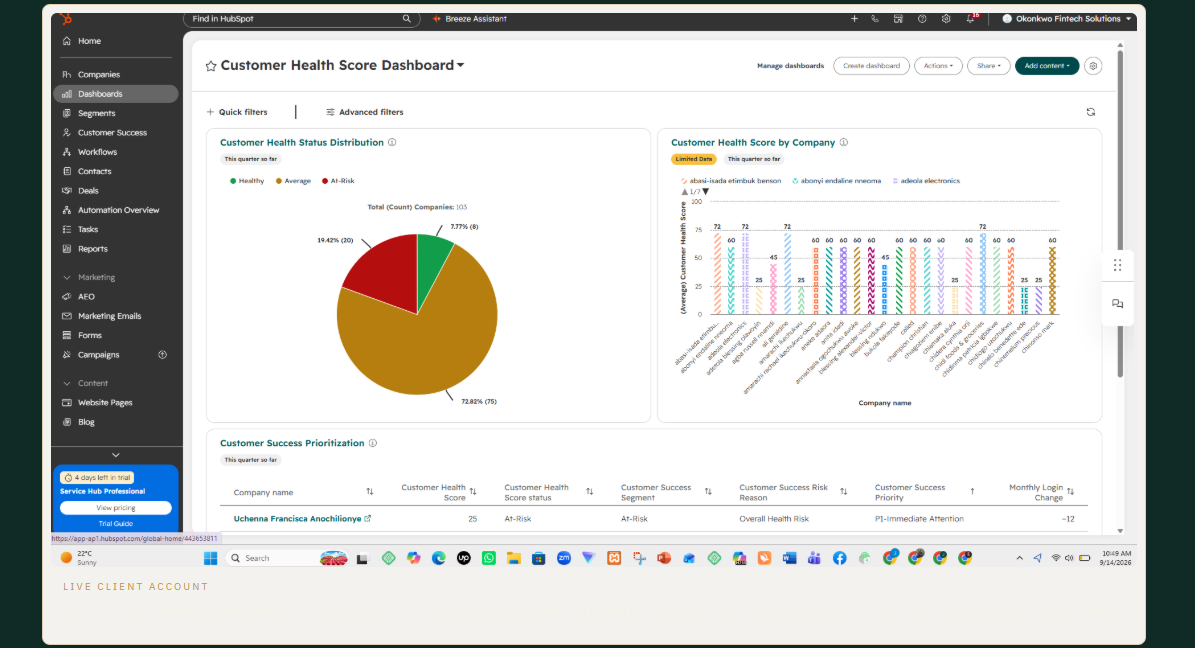
The Customer Health Score Dashboard built in HubSpot, covering 103 companies with health status distribution, score by company and the Customer Success prioritisation table.
Portfolio health
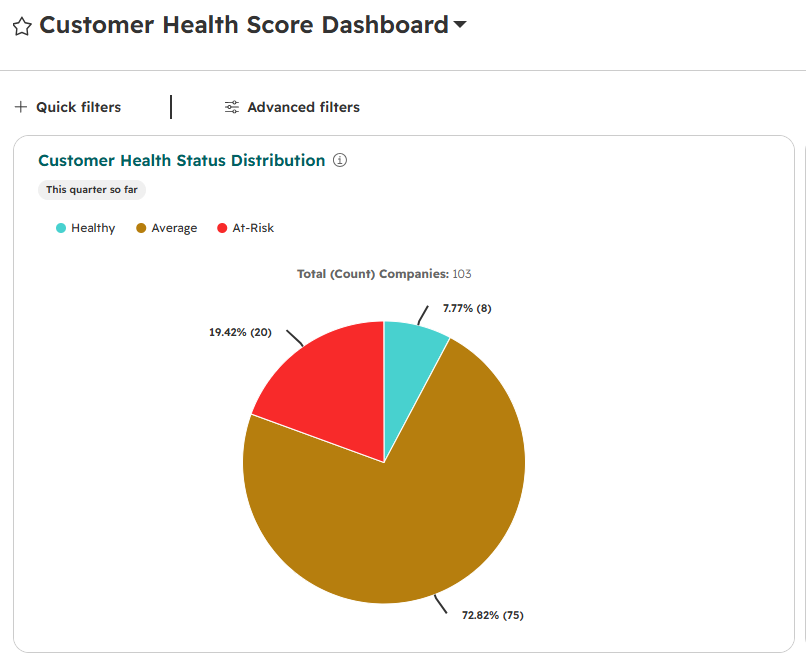
Across 103 companies: 6.8% Healthy (7), 72.82% Average (75) and 20.39% At-Risk (21), which is the split that decides where the Customer Success effort goes first.
Risk detection
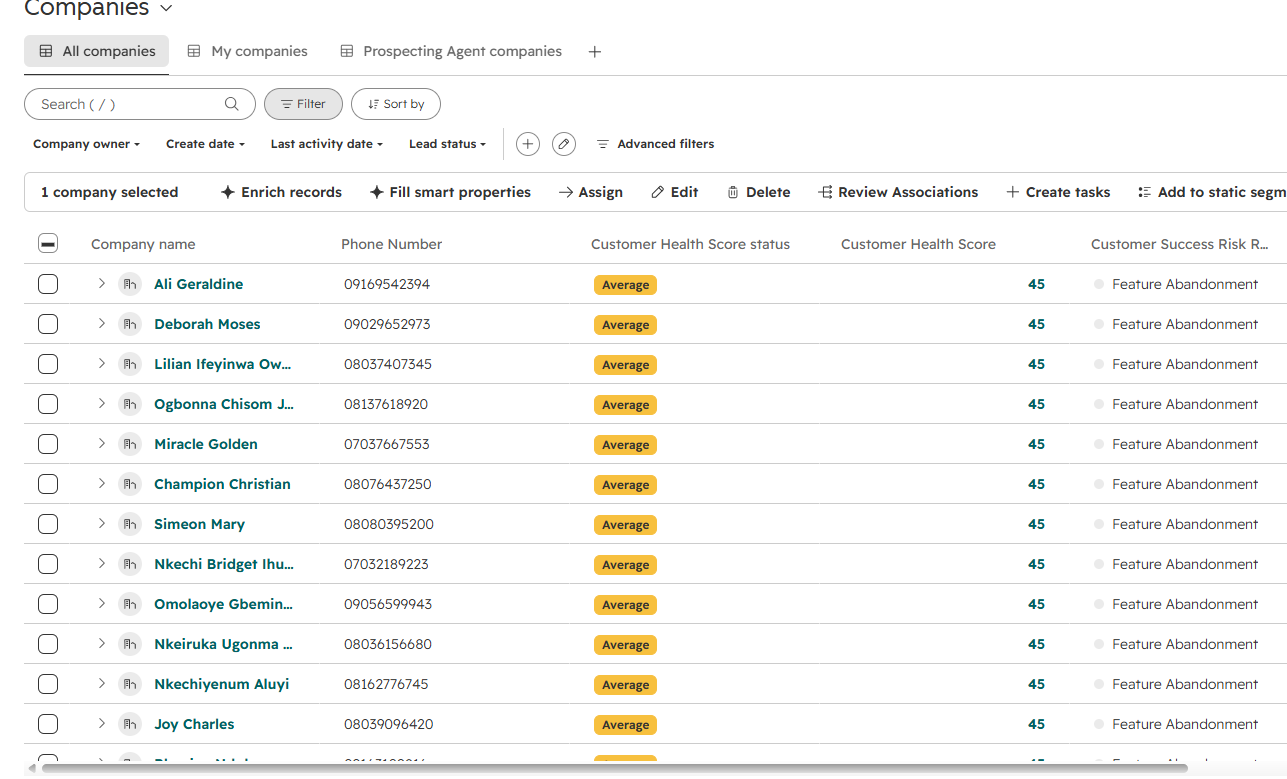
Client accounts flagged with Feature Abandonment as the risk reason, each scored 45 and held at Average until usage recovers.
Recovery automation
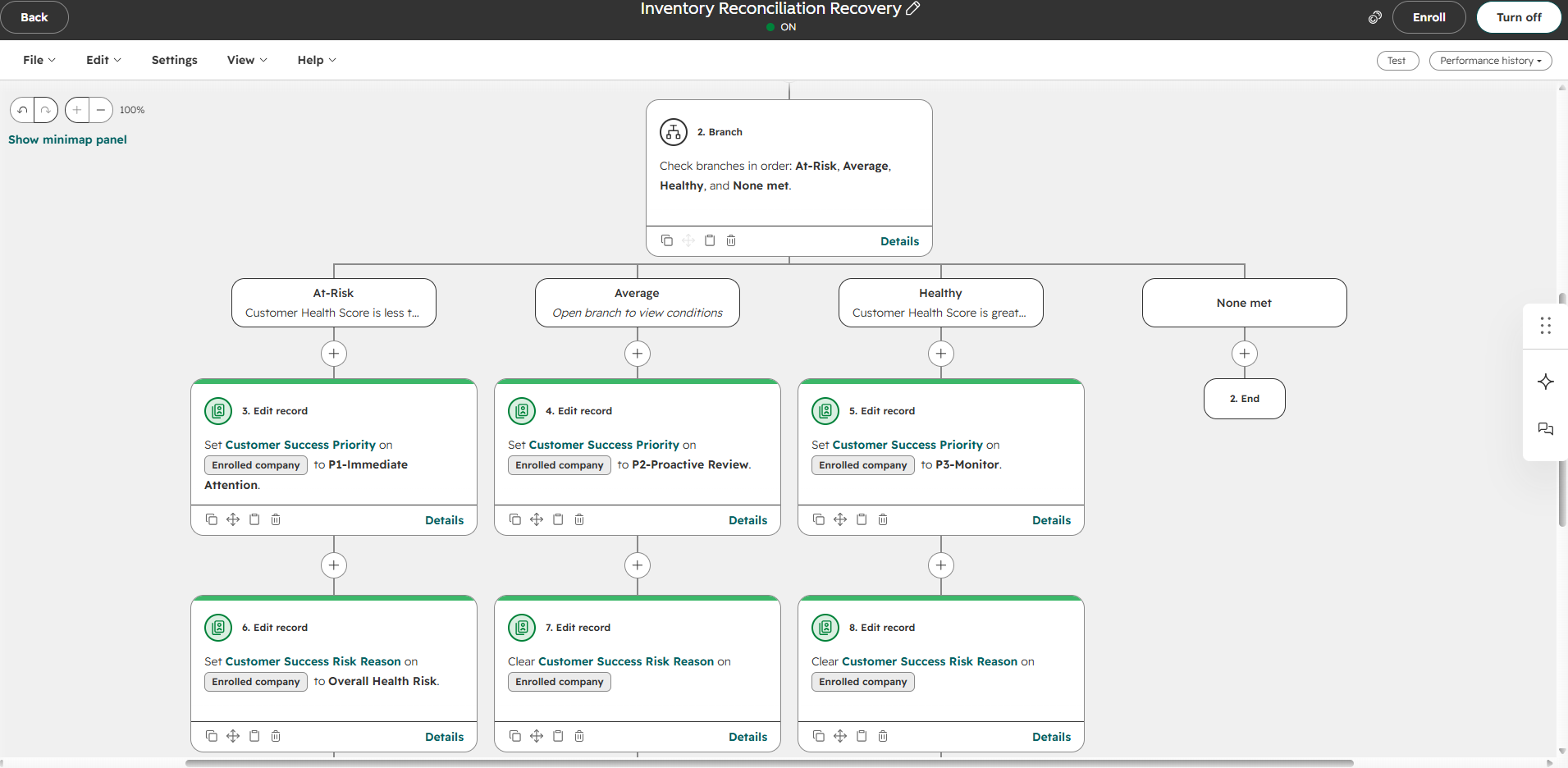
The live Inventory Reconciliation Recovery workflow branches by health status, then sets P1, P2 or P3 priority and writes or clears the risk reason.
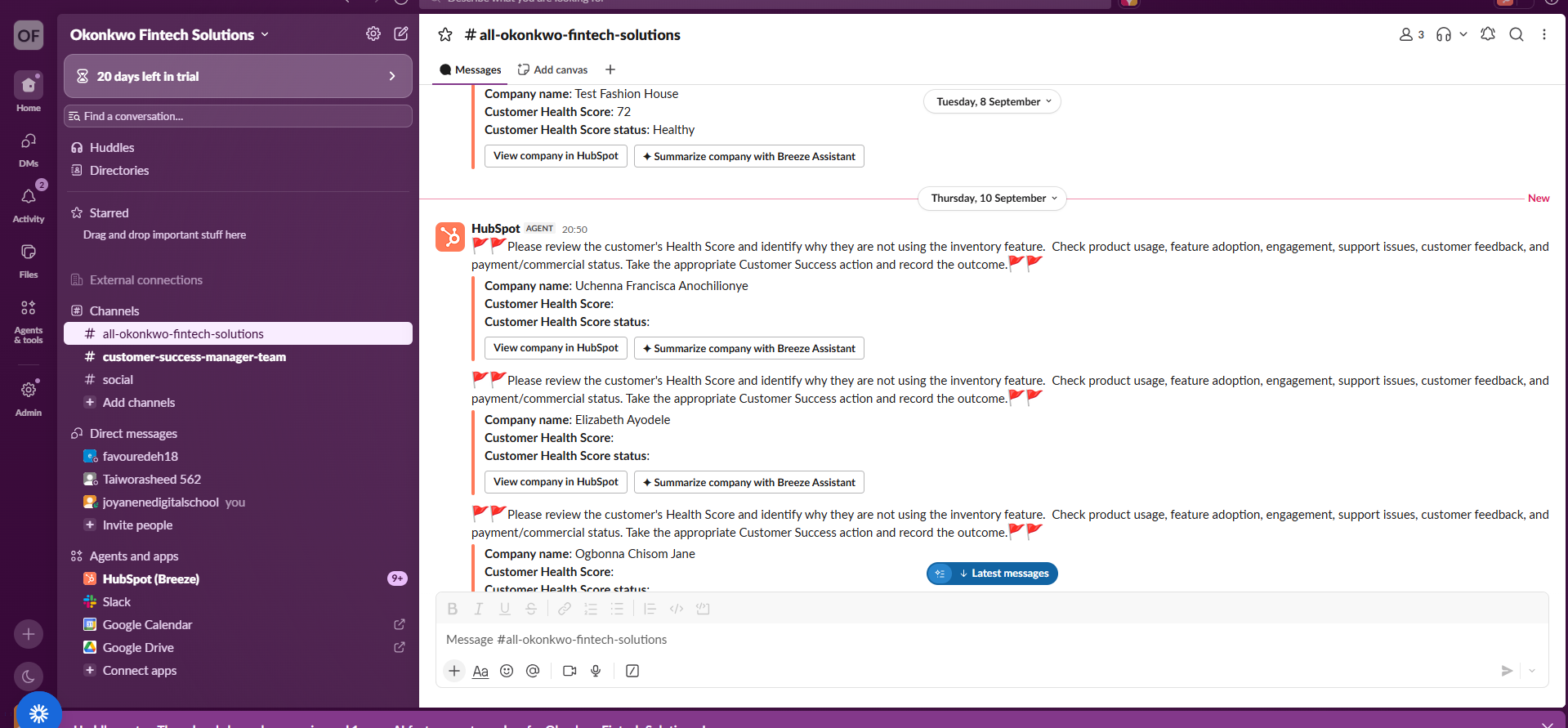
Team action
Alerts land in the team's Slack workspace asking the Customer Success team to review health score and feature usage, act, then record the outcome.
HubSpot build evidence
From my HubSpot build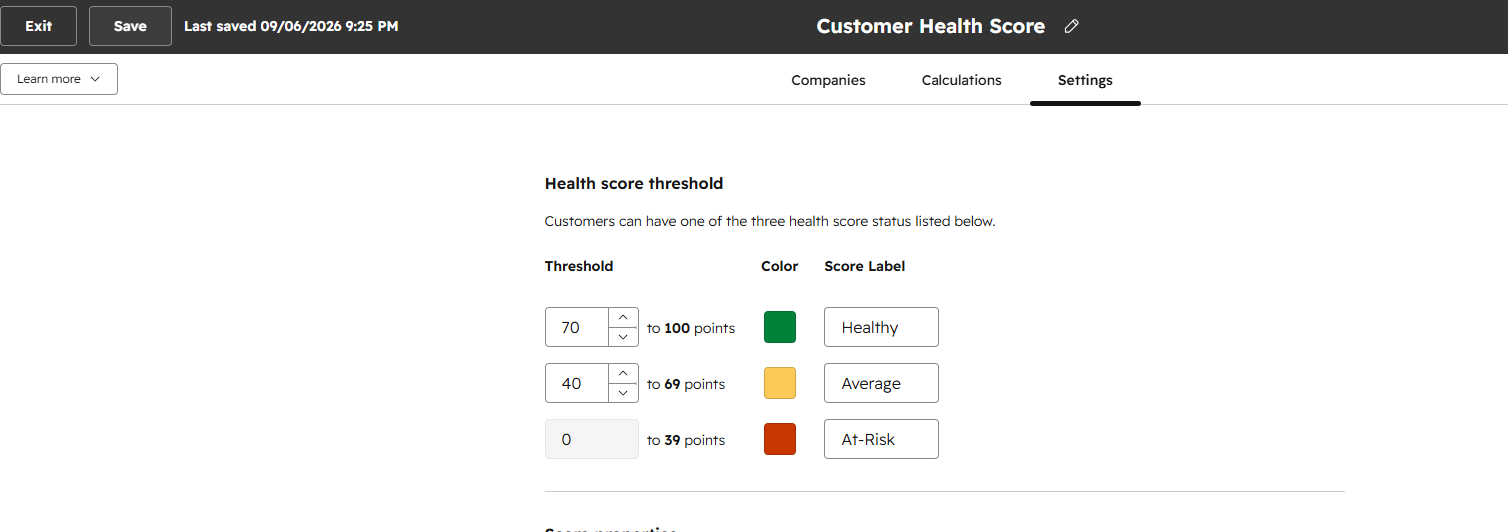
Score configuration
Health score thresholds configured in HubSpot: 70–100 Healthy, 40–69 Average and 0–39 At-Risk, each with its own status colour.
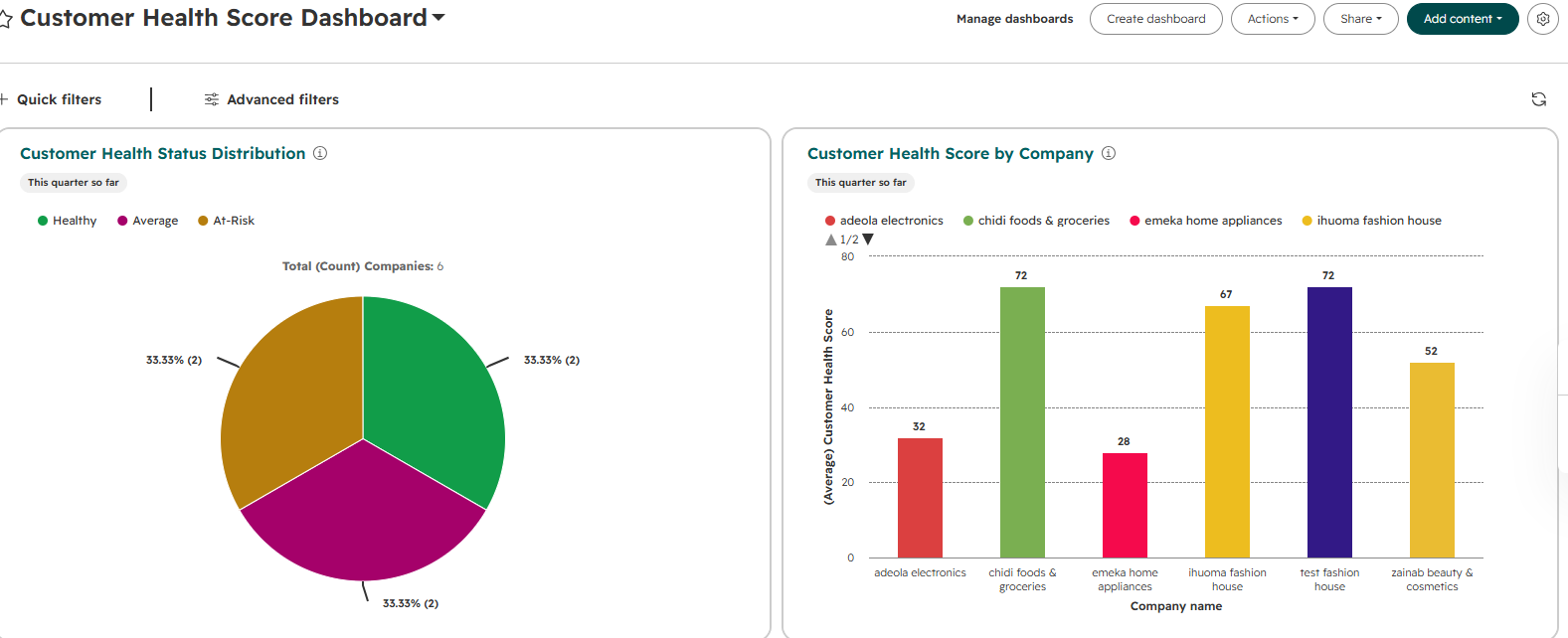
Dashboard
The Customer Health Score Dashboard shows health status distribution alongside health score by company.
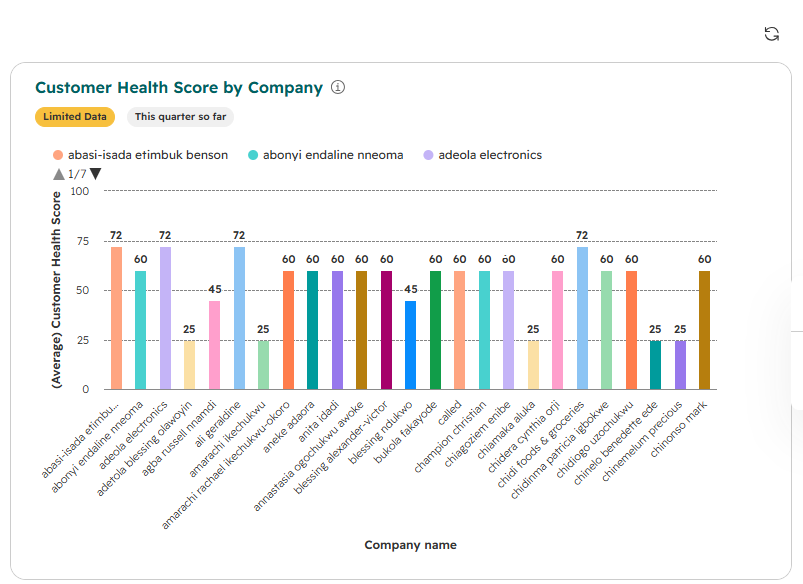
Dashboard
Customer Health Score by Company applies one framework to every account, making outliers visible at a glance.
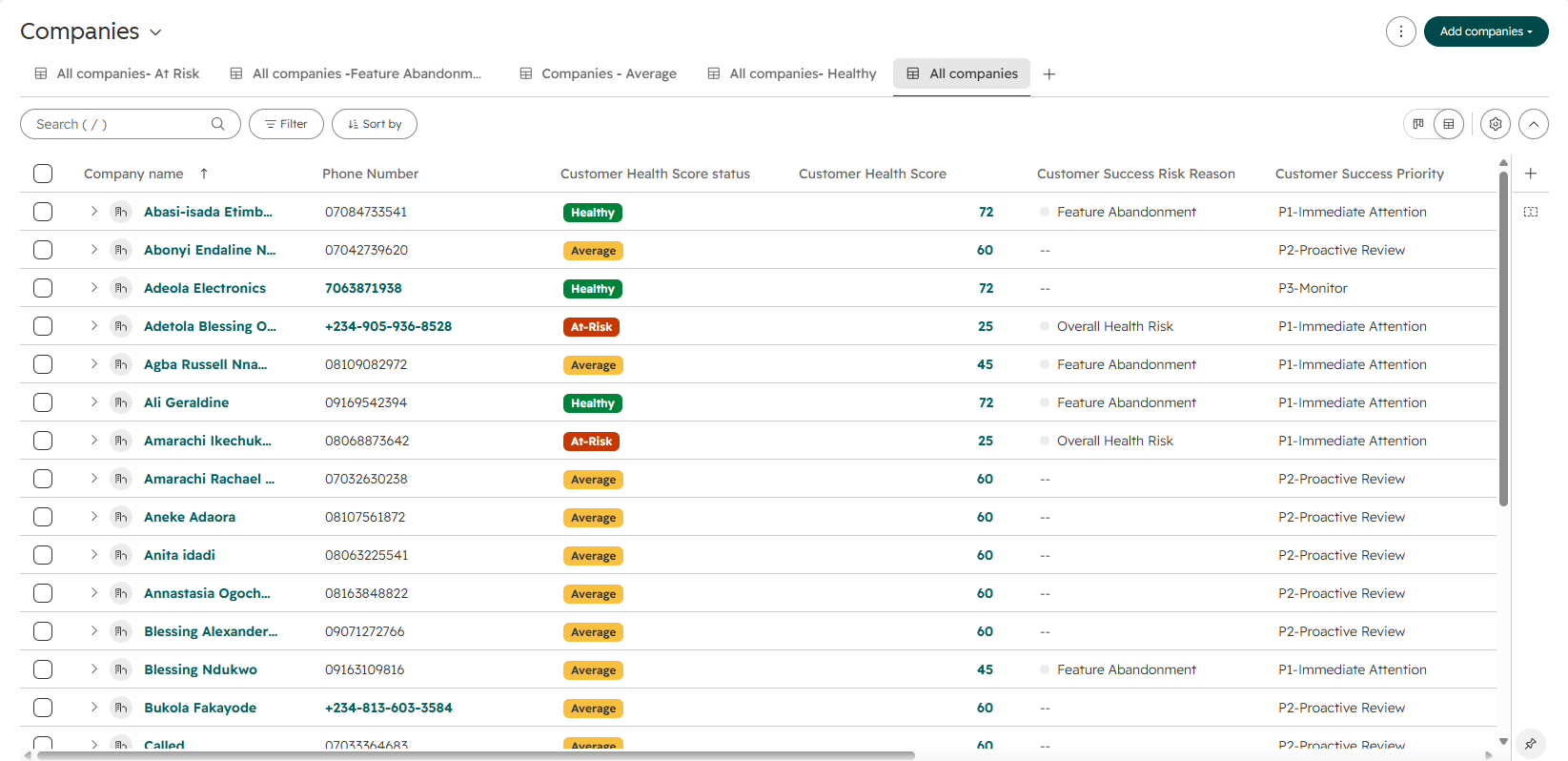
CRM view
Company records show health status, score, Customer Success risk reason and priority as dedicated CRM properties.
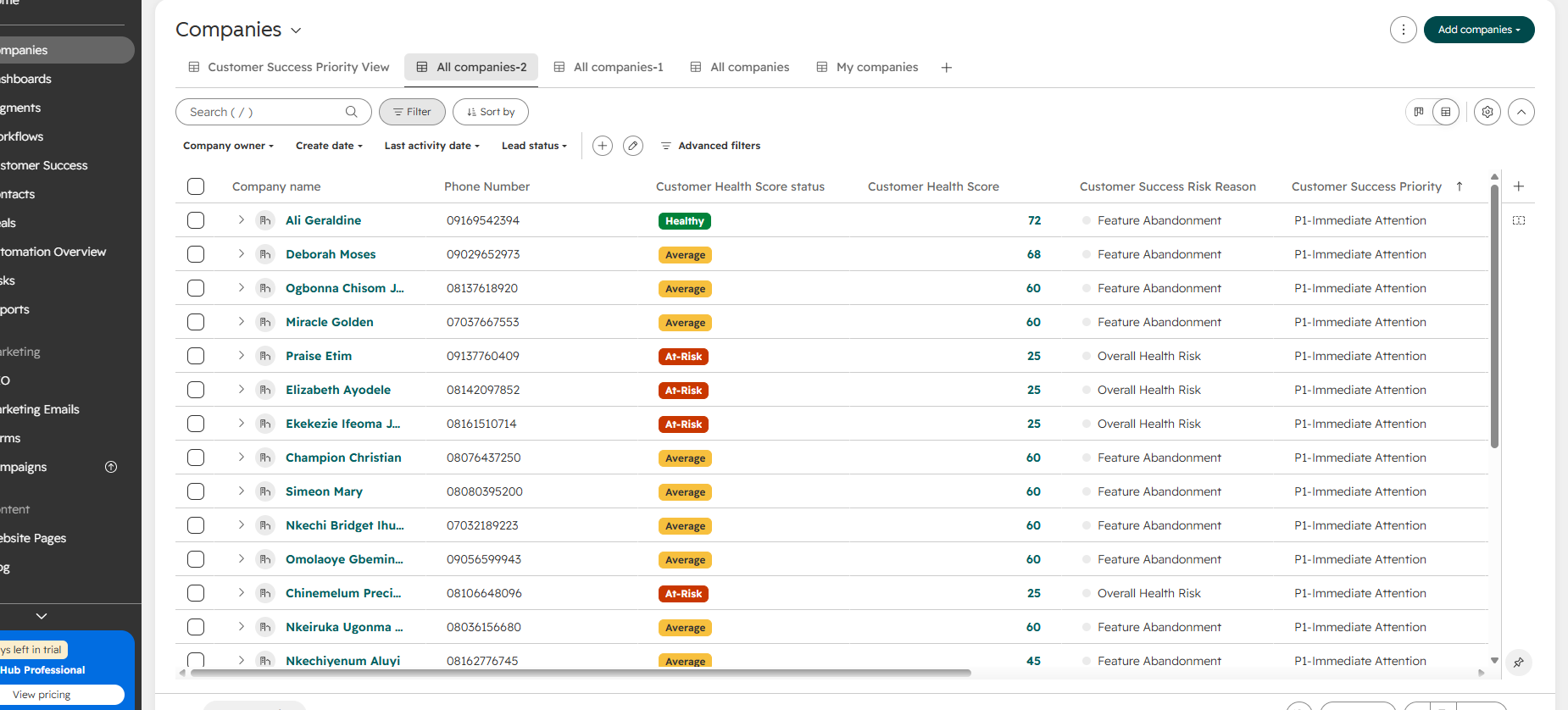
CRM view
The prioritisation view filters accounts to P1 Immediate Attention and shows the risk reason behind each priority.
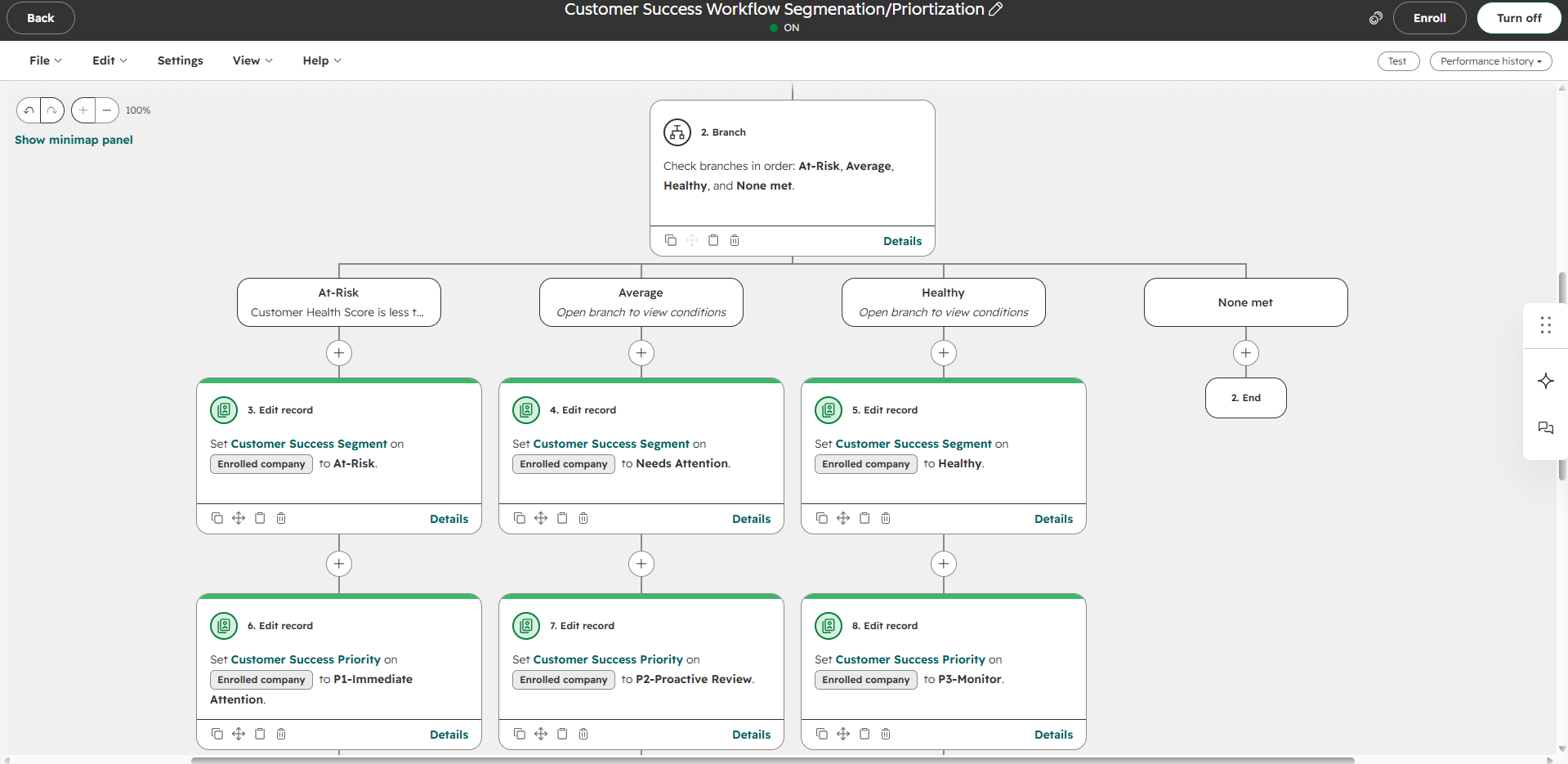
Automation
The Customer Success segmentation workflow branches by health status, then writes the segment and matching P1, P2 or P3 priority back to the record.
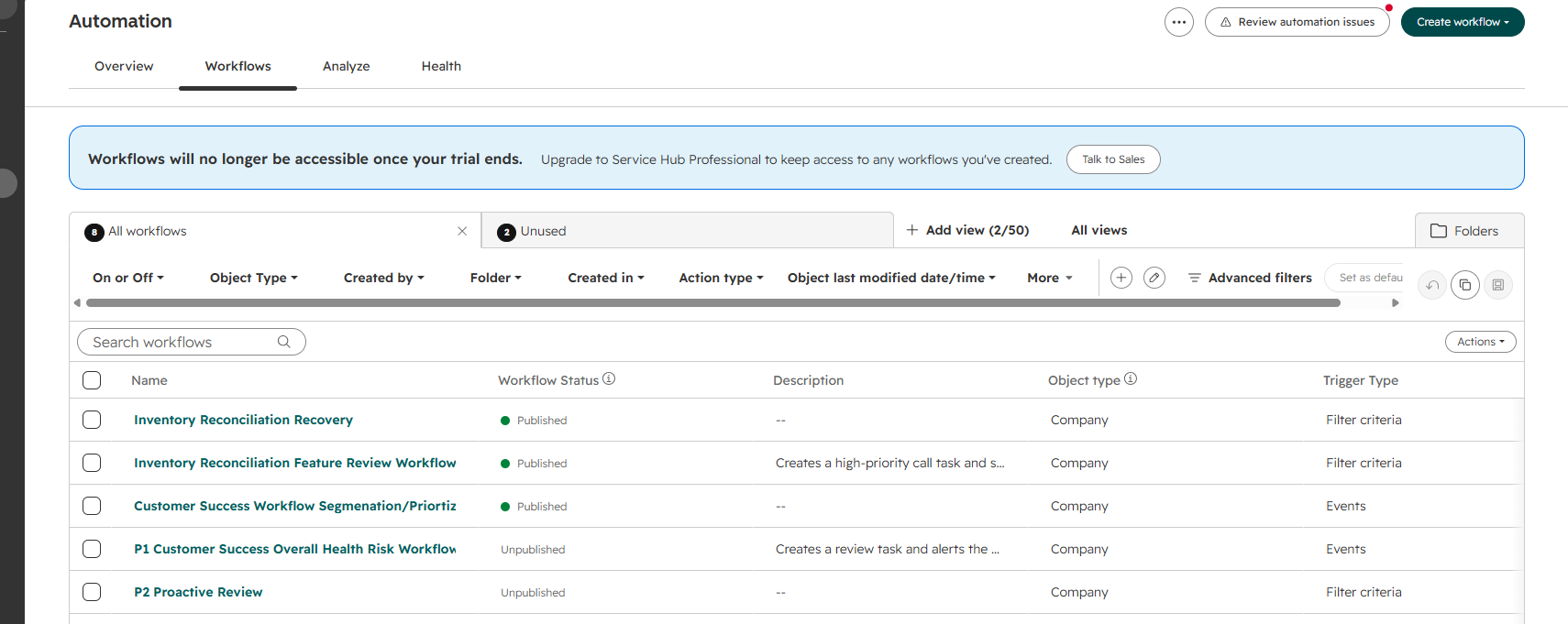
Automation
The workflow library brings detection, segmentation, prioritisation and feature recovery together behind the dashboard.
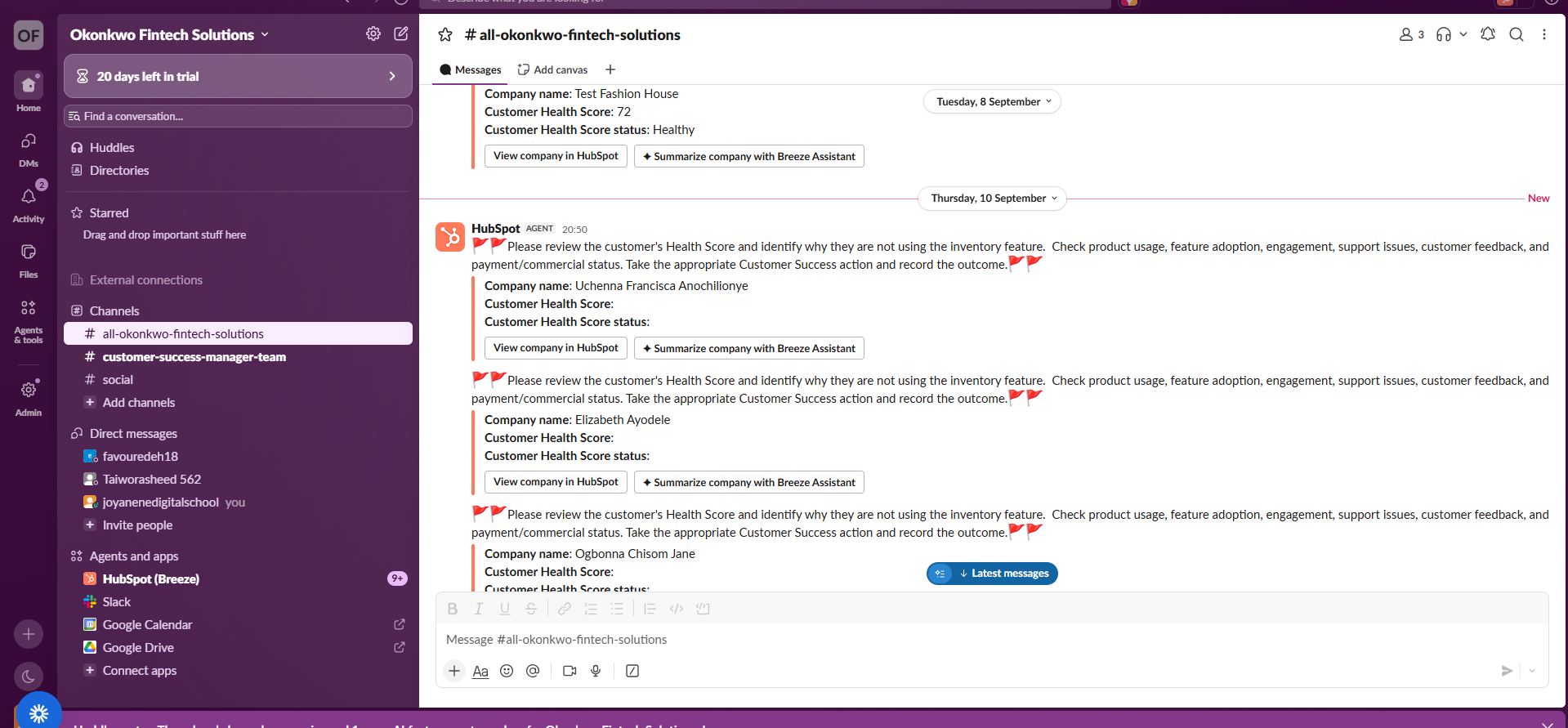
Notification
HubSpot alerts the Customer Success channel to review health score and feature usage, then record the outcome.
The dashboard is the surface. The system beneath it turns customer data into Customer Success action.
← Back to portfolio